|

FSSA MOBILE APP
Download the mobile app to 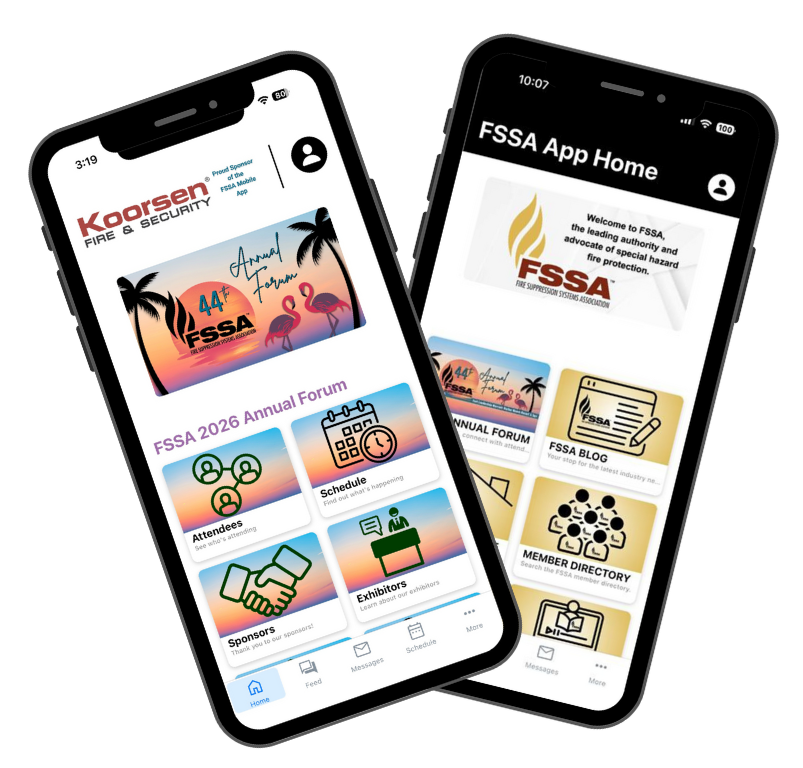
- Stay organized with session, exhibitor, and speaker information.
- Build a personalized schedule.
- Connect with FSSA Forum Attendees.
- Receive important notifications and event updates.
- View hotel maps and more.
Download Instructions
- Download here: App Store | Google Play or search "FSSA"
- Open the app and click "Log In" at the top right.
- Enter the email associated with your FSSA membership. Check your email for the 6-digit code.
- YOU'LL ONLY NEED TO LOGIN ONCE, THEN YOU'RE SET! If you do not log in, you will not have access to the ATTENDEES or SPEAKERS tiles.
Already have the FSSA from last year?
If your app doesn't automatically update to 2025, click "More" on the bottom menu of the dashboard, then select the "Change Events" button. Select the 2026 Annual Forum to load this year's app. Check back often as the app is updated regularly.
Printed programs will not be provided. All information for the Annual Forum will be available in the mobile app.
|